You can't fix what you can't see. Know what your players are really saying.
BetaHub captures everything your players say—and shows you what actually matters.
Trusted by indie studios and AAA games alike—managing feedback for 10M+ players across 500+ communities
Understand community sentiment at a glance
Know if players are frustrated, excited, or confused
Handle any volume without drowning
Auto-organized, deduplicated, prioritized
Never lose feedback in Discord scroll
Everything captured, synced, searchable
Auto-prioritize what matters
Heat meter shows critical issues based on community impact
Players report bugs, suggest features, ask for help—their way
Your community doesn't need new habits. BetaHub works where they already are:
- Discord forums — Create a thread, it syncs automatically to your dashboard
- Quick buttons — "Report Bug" or "Suggest Feature" buttons open simple dialogs
- Support tickets — Players click a button and submit privately. You respond in a dedicated thread—just you and them.
- AI listening — The bot can detect reports in regular conversation (optional)
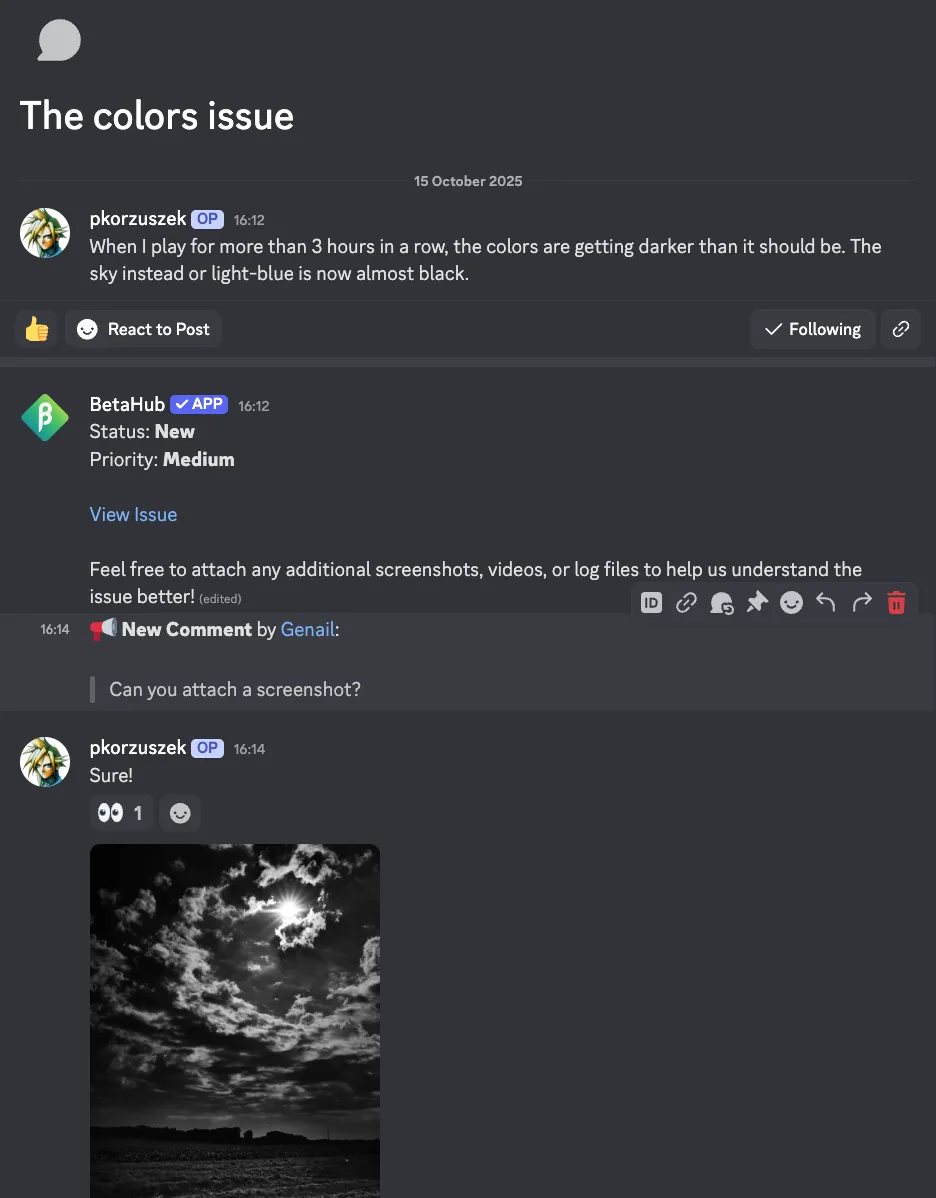
Forum threads automatically become organized issues
See what your community is actually talking about
Messages across multiple channels. What issues are players focused on? Which features are they asking for? What's causing the most discussion?
BetaHub surfaces the insights buried in your feedback—trending topics, recurring concerns, what's gaining traction. You get visibility into the conversations that matter without reading every thread.
One dashboard. Complete visibility.
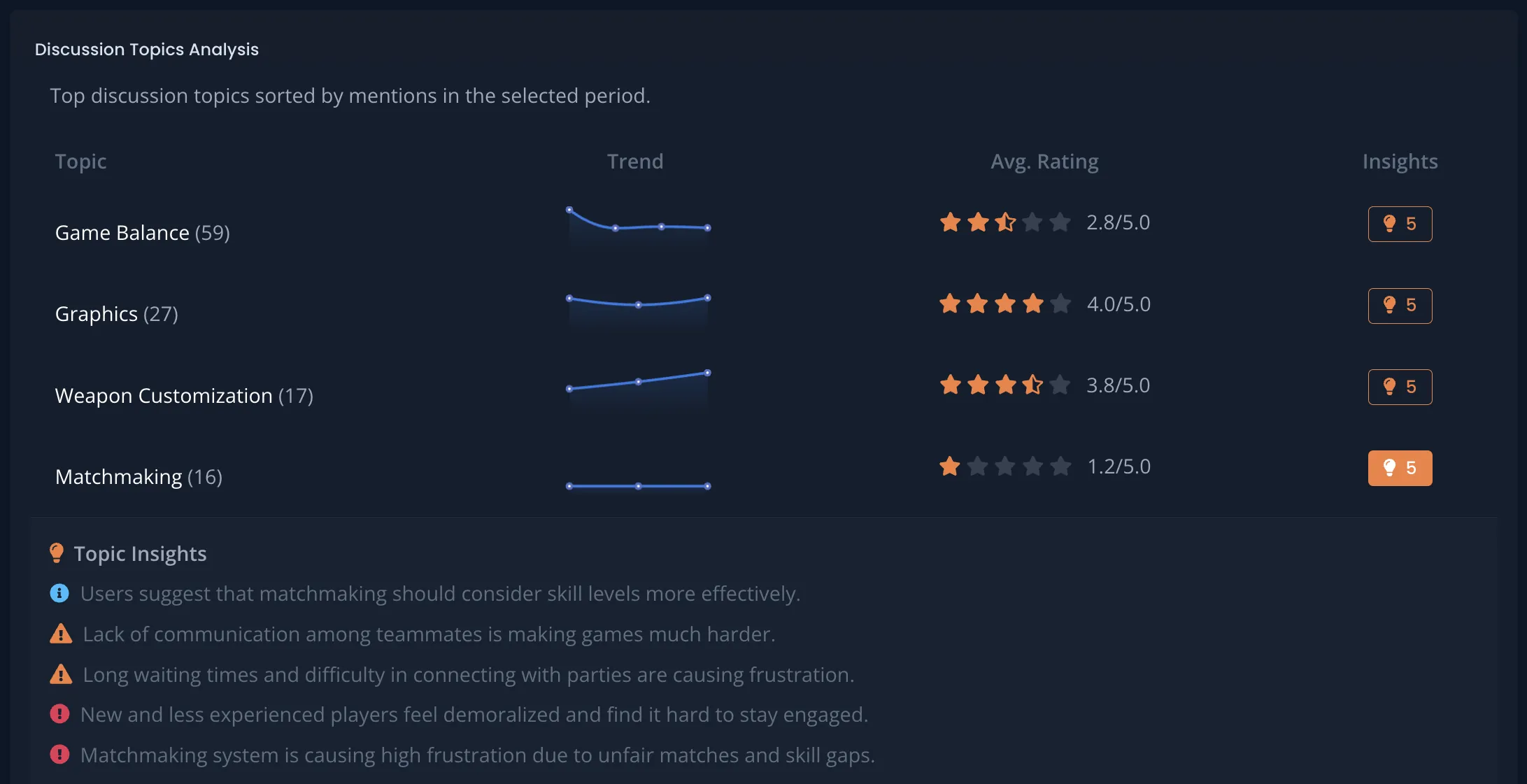
Surface trending topics and insights at a glance
Stop answering the same questions over and over
Your team spends hours each week answering "How do I reset my password?" or "When does the event end?"
Upload your documentation, FAQ, or patch notes. BetaHub's AI answers common questions automatically—in Discord, 24/7.
It only uses your documentation. No hallucinations. If it doesn't know, it stays quiet and logs the question so you know what docs to add.
Your team focuses on real problems, not repetitive support.
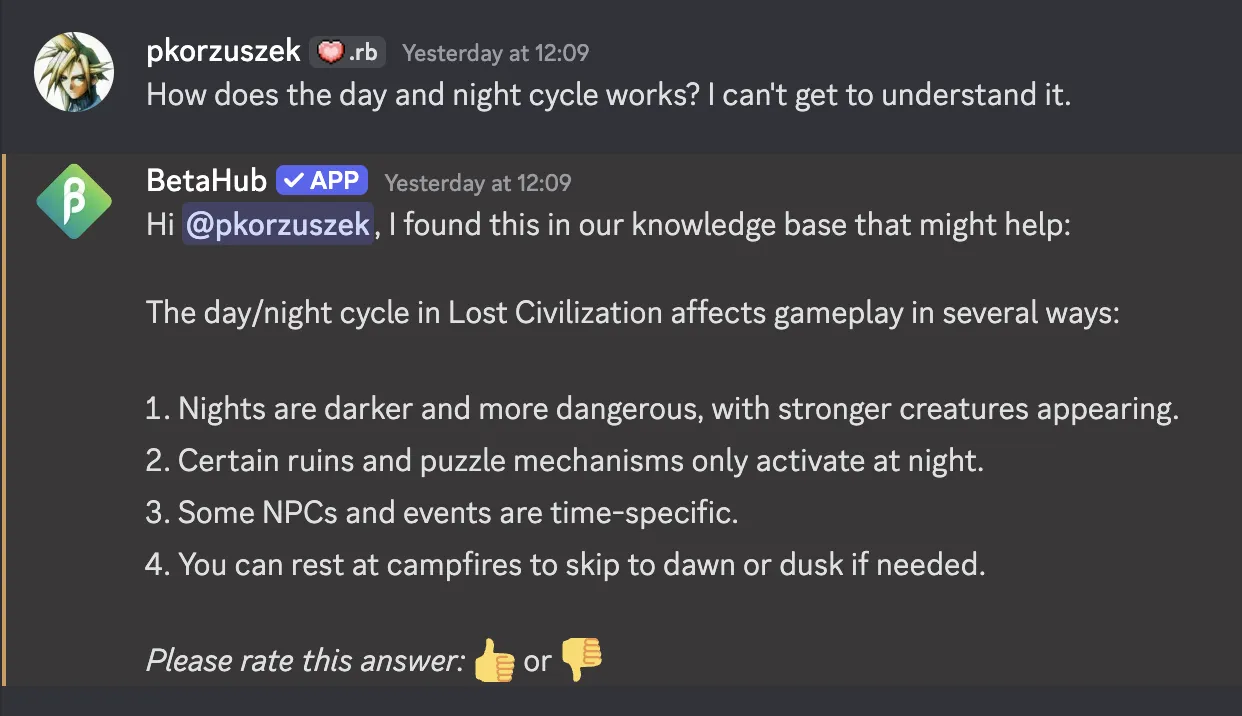
AI answers common questions automatically from your documentation
When the same crash gets reported multiple times, you get ONE issue
Popular games generate duplicate reports constantly. The same bug gets reported dozens of times in different words.
BetaHub uses semantic AI to find potential duplicates—understanding meaning, not just matching keywords. Then it verifies them for accuracy before grouping.
All reports link to one issue, giving you complete context without the noise.
One problem. All the details. Zero clutter.
Your command center for feedback at scale
All feedback in one place. But what do you fix first?
The Heat Meter auto-prioritizes issues based on community impact—severity, report frequency, community votes, how many players are watching, and recency. Critical problems surface automatically.
Filter, search, tag. Push issues to Jira, Asana, GitHub, and many more. Everything you need to turn community feedback into action.
No more guessing what matters.
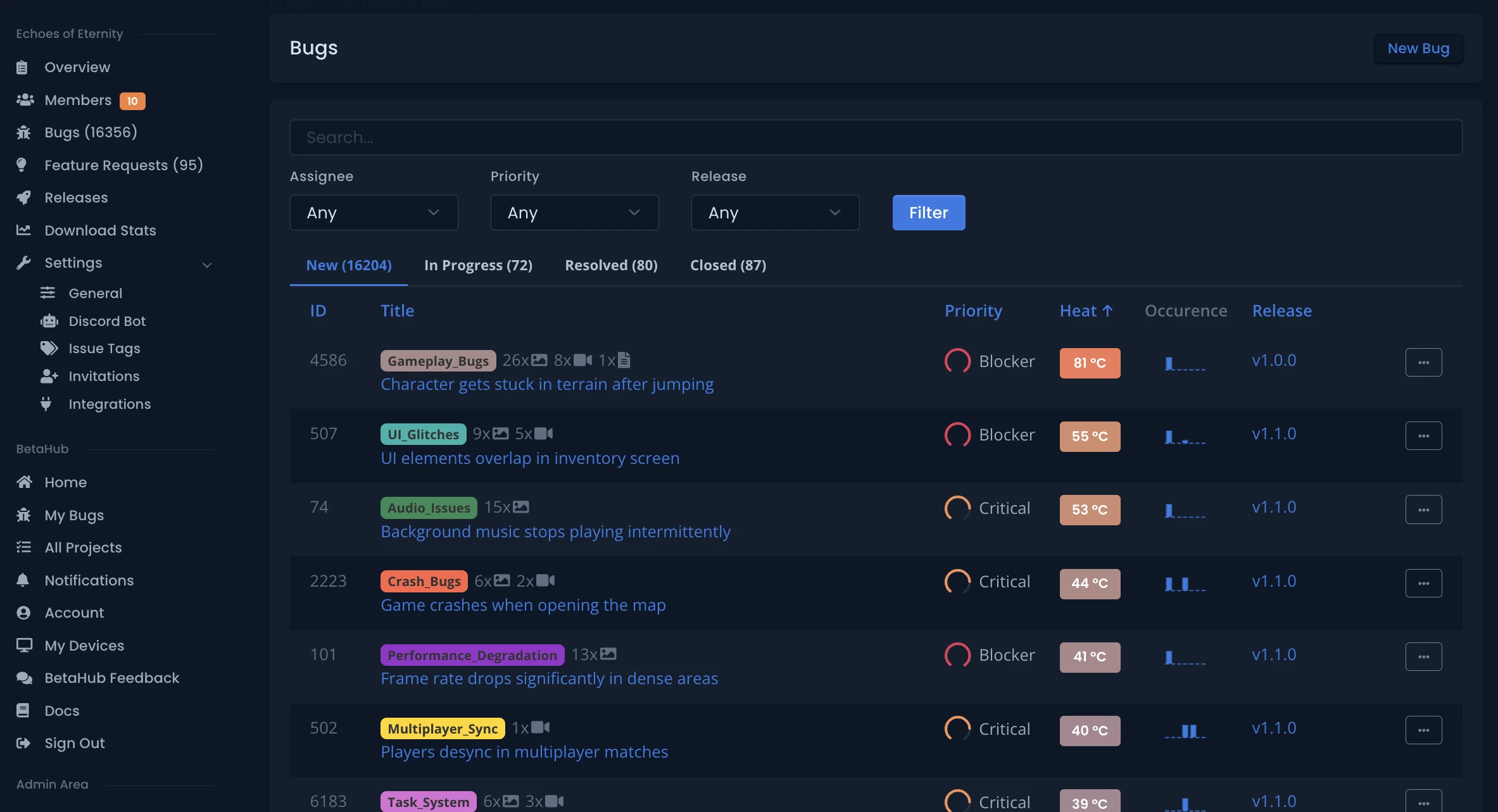
Heat meter auto-prioritizes based on community impact and severity
Everything you need:
- Discord forum & button integration
- Sentiment analysis & trending topics
- AI-powered support (Knowledge Base)
- Semantic duplicate detection
- Heat-based prioritization
- Jira, Asana, GitHub integrations (and many more)
- Screenshots, videos, logs—all synced
Ready? It takes 3 steps.
- Invite the bot
- Connect your dashboard
- Choose your channels (forums, buttons, or both)
Done. Free forever.