SteamBot

SteamBot

Übersicht

Get Realtime info on Free Games, Live Playercounts, Search Games, and More!


Please note we recently moved to slash commands only, instead of traditional commands, as per the new Discord API Update

SteamBot

SteamBot is a Discord bot that gives information on users, games, and sales.

Features

  • 24/7 Uptime
  • Profile Linking
  • Ever-growing database of profiles
  • Monitor sales
  • Realtime info
  • Live Player Counts
  • Customize Steam Store location to ensure relevant information
  • Compare prices between multiple retailers
  • Launch games directly from Discord
  • See free games on Steam

Commands

Command Description
/userinfo <url or mention> Gets information about a steam profile. Information includes real name (if set), Visibility, Online or offline, username, profile link, and avatar link.
/bans <url or mention> See the ban status of a user, including VAC bans, Game bans, and Community bans. Useful peace of mind in knowing who to trust.
/link <url> Link your Steam profile to SteamBot. This will allow people to see your Steam information without having your profile URL.
/unlink Unlinks your Steam profile from SteamBot.
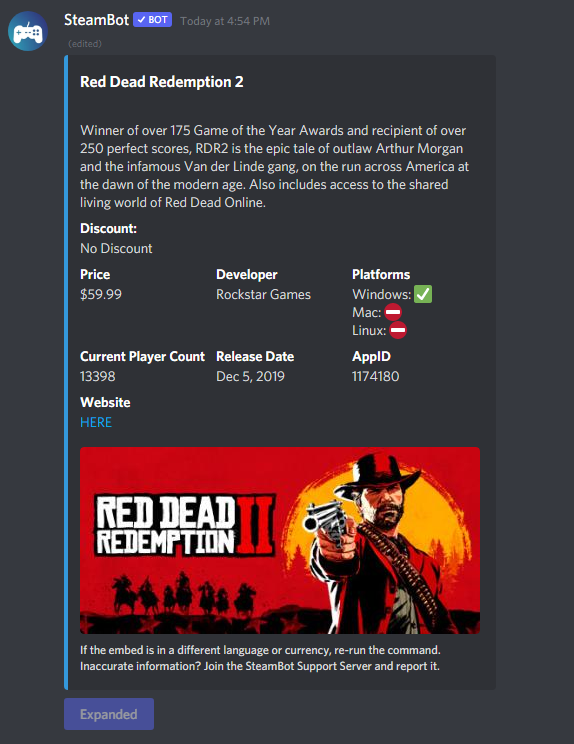
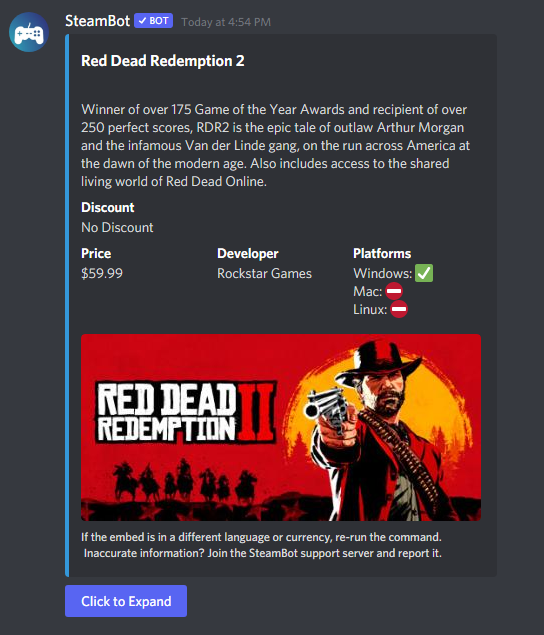
/game <game name> Provides detailed information about a Steam game, sales, and price.
/recent <url or mention> Shows what games a user has played recently.
/getid <url or mention> Gets the Steam ID for a profile
/avatar <url or mention> Gets the avatar of a Steam profile
/random Shows a random game on Steam
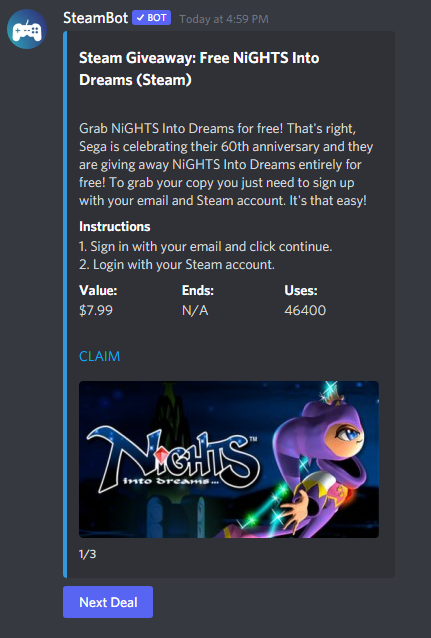
/steamfree Lists all free-to-keep games on Steam
/playercount <game name> Shows a live player-count of any game on Steam
/compare <game name> Compares prices of a game between many different game stores

Screenshots

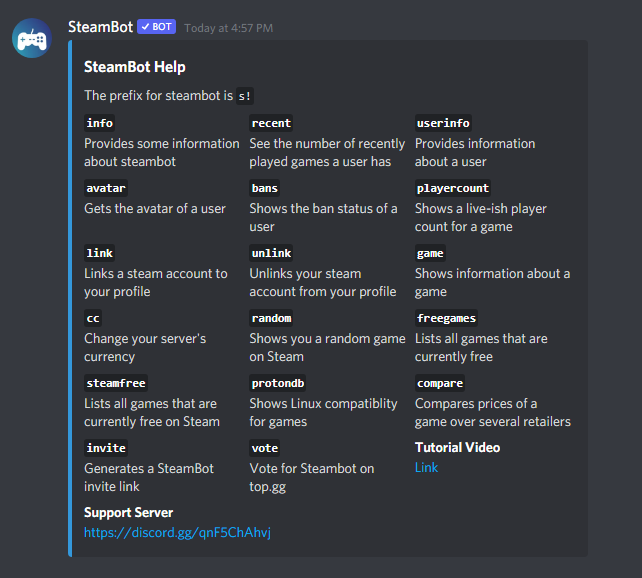
Usage of the /game command Usage of the /game feature Expanded View of /game Expanded View of s!game Help command Help Command Steam Free Command /steamfree command usage
SteamBot Linking

User lookup commands can take two different arguments. You can either use the Steam Profile URL, or if the user has linked their Steam profile, mention them.

This bot is not affiliated with Valve, Steam, or any of their partners. All copyrights reserved to their respective owners.

Powered by Steam
Steam Web API

Bewertungen und Rezensionen


4.85

13 Bewertungen

Reviews can be left only by registered users. All reviews are moderated by Top.gg moderators. Please make sure to check our guidelines before posting.

5 Sterne

11

4 Sterne

2

3 Sterne

0

2 Sterne

0

1 Stern

0


josc
josc
10 months ago

I created a list of game roles on my Steam server, where members can manually select roles. However, some members started picking games they don't own or like just to invade voice channels. I noticed that Discord has the option for linked roles. Is there a way for the Steambot to automatically assign roles to members who own a game from the list on their accounts?


👑 >Nejii™<👑
👑 >Nejii™<👑
over 4 years ago

Nicee, I like the bot and the easy commands, pls more updates in the future to improve the experience, and that there are many more things to do with the bot, such as showing inventory or achievements, etc.

Avatar
SteamBotAntwort auf 👑 >Nejii™<👑

Hey, Thanks for your feedback! We will consider adding those features.


D.Muñoz
D.Muñoz
over 4 years ago

A command would be great to see the best steam deals of the day


nmqhyt
nmqhyt
over 4 years ago

Amazing bot for anyone that has a steam account!


P'titSeb🐾🐾
P'titSeb🐾🐾
over 4 years ago

Hi Developer, Please add verification on your bot at Discord Developer Portal, I can't add the bot to my server! I have a error message. Error: This bot can't join more servers as it has not been verified or is requesting gateway intents it has not been verified for. Ask the bot's developer about https://dis.gd/bot-verification so you can add it to your server!

Avatar
SteamBotAntwort auf P'titSeb🐾🐾

Hey, Just letting you know that Steambot has been verified, so you can now add the bot to your server!


RuskOperator
RuskOperator
over 4 years ago

Amazing bot for getting free games.


diounr
diounr
over 4 years ago

Hi Developer, Please add verification on your bot at Discord Developer Portal, bcs I cant add bot to mine server! Error: This bot can't join more servers as it has not been verified or is requesting gateway intents it has not been verified for. Ask the bot's developer about https://dis.gd/bot-verification so you can add it to your server!


1969
1969
over 4 years ago

Hi Developer, Please add verification on your bot at Discord Developer Portal, bcs I cant add bot to mine server! Error: This bot can't join more servers as it has not been verified or is requesting gateway intents it has not been verified for. Ask the bot's developer about https://dis.gd/bot-verification so you can add it to your server!


Top.gg

Explore millions of Discord Bots & Discord Apps

Support

Ticket absenden

Cookie-Einstellungen verwalten

Soziale Netzwerke

Discord

Twitter

YouTube