Provides extra information when playing the pokemeow bot like rarity during fishing and value of legendaries/shinies. Also has timers.
MeowHelper
PokeHelper is a utility bot that provides tools and information when playing the PokeMeow discord bot/game. Notable features include: Fishing rarity messages, Rare spawn information, Timers, Swaptrackers, market updates, and more.
To get started quickly see the Quickstart section beloew.
To see all commands use )help in discord or visit the github for full documentation
MeowHelper Features:
Fishing
MeowHelper displays the rarity of pokemon when fishing.

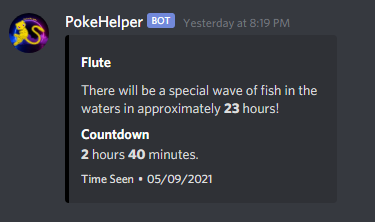
Flute
Get the last seen flute message in any channel.
Rare Spawn Notifications:
MeowHelper will ping you and send out information when you find a rare pokemon.

Alerts
Quest

Catchbot

Ball

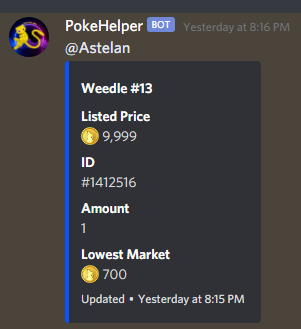
Market
Server
Rare Spawns

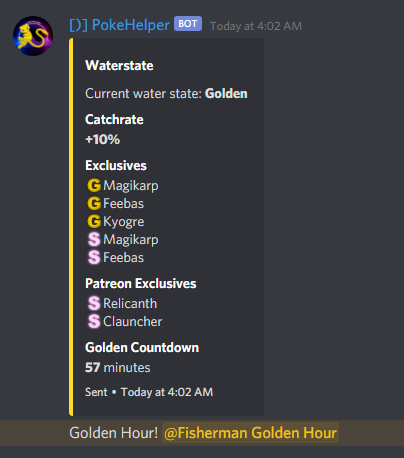
Waterstate updates and Golden Hour Pings
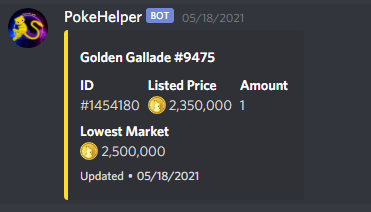
Market Updates
Goals
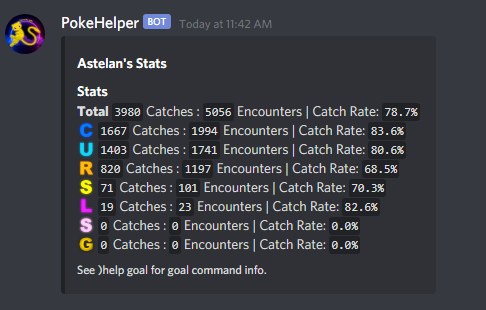
Goal and stats display
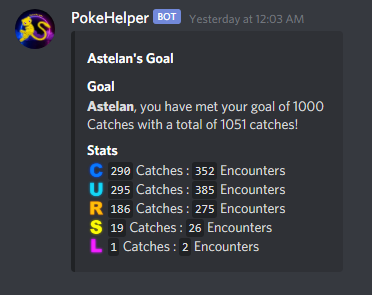
Goal Reached Ping

Clan Goals
Setup clan goals and track your members progress. You can also setup a notification channel where updates will be posted.
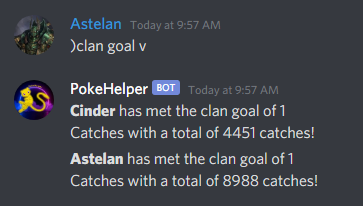
Goal Stats
Verify
Setup a verification channel to validate incoming users.
Verify Message

Rejection Message

Channel Cleanup

Quickstart
Timers
To quickly enable all timers run )timers on and )timers all on.
To remove the timer set messages run )timers qm on.
To enable pings on timer completion run )timers ping on.
To see your current timer settings run )setting timers.
See )help timers for more information about configuring your timers.
Goals
To get started with goals run )goal set <number> and MeowHelper will begin tracking your progress. See )help goal for more goal options.
Alerts
If you would like alerts for your catchbot or quest run )alert cb on and )alert quest on respectively.
To setup market alerts run )alerts market <pokemon-name/dex-number>. To set a price threshold run )alerts market price <price>.
To setup remaining ball alerts run )alerts ball on. To set a ball threshold run )alerts ball th <number>.
General
See )help for all available commands and )help <command> for more information about a specific command.
Use the command )init user to see this message in discord.